Measure styles and dimensions before changing the mode.
Accessibility review · Workhuman AI practice
Make large text a real test
I built and refined a repeatable review workflow around style inspection, controlled scaling, reflow and verification.
figma-a11y-type-scale
The problem
Why this belongs
in the workflow.
Changing a text-size mode can leave unbound text unchanged. A clean overlap count can still hide truncation or clipping.
What the skill makes explicit.
Repair stale style bindings, then apply the requested text-size mode explicitly.
Check clipping, truncation and collisions; inspect the result visually and preserve the lessons.
Evidence and learning
From instructions
to practice.
The journal records failed assumptions and repairs, while file profiles record completed boards and later reuse of the corrected recipes.
Contribution and evidence scope
These are recorded design-board reviews, not a claim of product-wide accessibility compliance.
Source: the supplied figma-a11y-type-scale skill and associated records. Internal component identifiers and company endpoints are omitted.
Process flow
How this skill handles a task.
Changing a text-size mode can leave unbound text unchanged. A clean overlap count can still hide truncation or clipping.
- 01
Capture baseline
Measure styles, dimensions and bindings before scaling.
- 02
Repair bindings
Re-point stale styles to the correct variable collection.
- 03
Scale + reflow
Apply the requested mode and adapt the layout.
- 04
Verify + learn
Inspect clipping, collisions and truncation; retain lessons.
DECISION CHECKPOINT
Does the larger text actually fit?
Proceed
Record the verified board and reusable lessons.
Alternative / follow-up
Reflow and inspect again; report library-level constraints.
Editorial map of the documented instructions, not a recorded execution.
Inside the skill
Instructions you can inspect.
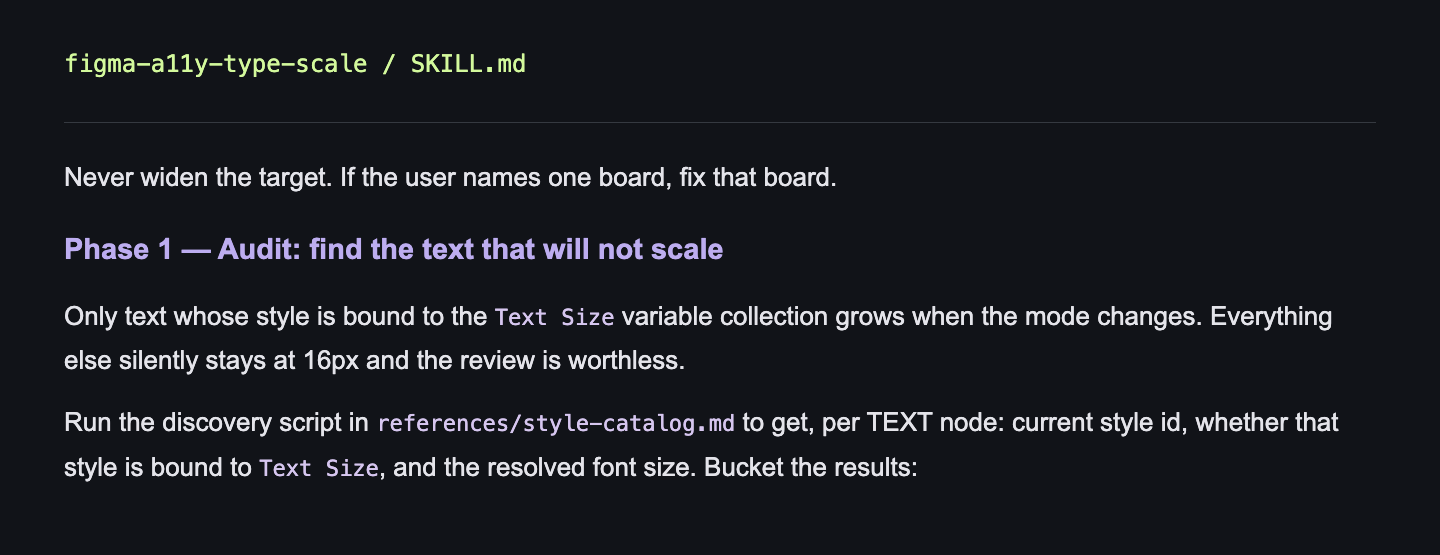
Never widen the target. If the user names one board, fix that board.
Phase 1 — Audit: find the text that will not scale
Only text whose style is bound to the Text Size variable collection grows when the mode changes. Everything else silently stays at 16px and the review is worthless.
Run the discovery script in references/style-catalog.md to get, per TEXT node: current style id, whether that style is bound to Text Size, and the resolved font size. Bucket the results: